Microsoft Word: How to repeat header row from table
When you create document, you may want to repeat header of the table in every page like the option 'Row to repeat at top' in Microsoft Excel.
You can do that in Microsoft Word as well by following these steps.
Environment: Microsoft Word 2007
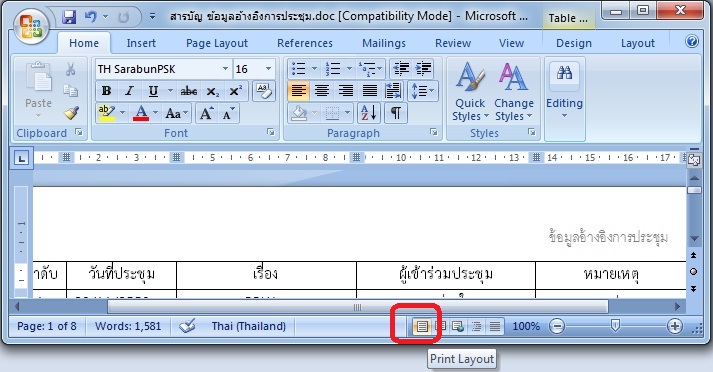
- Be sure that you are in 'Print Layout' view mode.


You can do that in Microsoft Word as well by following these steps.
Environment: Microsoft Word 2007
- Be sure that you are in 'Print Layout' view mode.
- Select the header row that you want to repeat in every page.

- After that, at the menu bar, select 'Layout'. Inside the menu, select 'Repeat Header Rows'.

That's all. You will get the repeated header row in every document page.



YOU ROCK!
ReplyDelete