People use some other name to represent themselves in LINE. To search them, you might not be able to remember what name they are using. You can just change the displayed name to what you call them. Follow these steps to change it. Environment : Application: LINE version 3.1.7 O/S: Android Ice Cream Sandwich 4.0.4 Device: Samsung Galaxy S III Press at the friend that you wan to change the name. Press at the pencil sign in the pop-up screen. It will show you the textbox to override the name. Type in the name that you want to call your friend and press "Save". Scroll down or search the new name you just defined.
Microsoft Visio doesn't have the easy way to set its default font and size. Please follow these steps to make change of your drawing. Environment : Microsoft Visio 2007 Solution No. 1 : Set default font and size from Style Note that this solution will not apply to the drawing that you change to specific font. - From menu bar, select 'Tools' and then 'Options...'. - In 'Options' pop-up window, select 'Advanced' tab. At 'Advanced options', check 'Run in developer mode' and press 'OK' button. This option will allow you to select 'Define Styles...' sub-menu. - Draw some drawing and select it. At the menu bar, select 'Format' and then select 'Define Styles...' sub-menu. - In 'Define Styles' pop-up window, at 'Style' section, the default style name will be selected automatically follow by the style of the drawing that we selected befo...
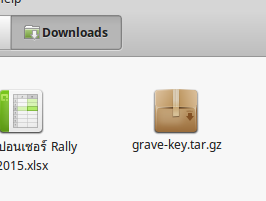
Environment : Linux Mint 17.2 Mint comes with the default language switcher as ALT + Left Shift. But I normally like Grave Accent (~) to switch between languages as I used Microsoft Windows for a long time. Here are the steps to add Grave Accent (~). Download zip file grave-key . Open downloaded folder. You will find compressed file name "grave-key.tar.gz". Double click at file name "grave-key.tar.gz". It will open uncompressed program. Click "Extract". You will find one folder name "grave-key" in the same folder. Open command line Terminal. Click at "Menu", select "Terminal". At the cursor, type command "su -" to change to "root". Enter root password. Change directory to the downloaded folder by typing "cd /home/ /Downloads/grave-key". Make sure that the file "script.sh" allow execute permission like "-rwxr-xr-w". Otherwise, you can run ...


Comments
Post a Comment